What Is OpenRouter? One API for Multiple AI Models
OpenRouter connects your app to multiple AI models through one API. Explore practical use cases, pricing, routing, and production tradeoffs.
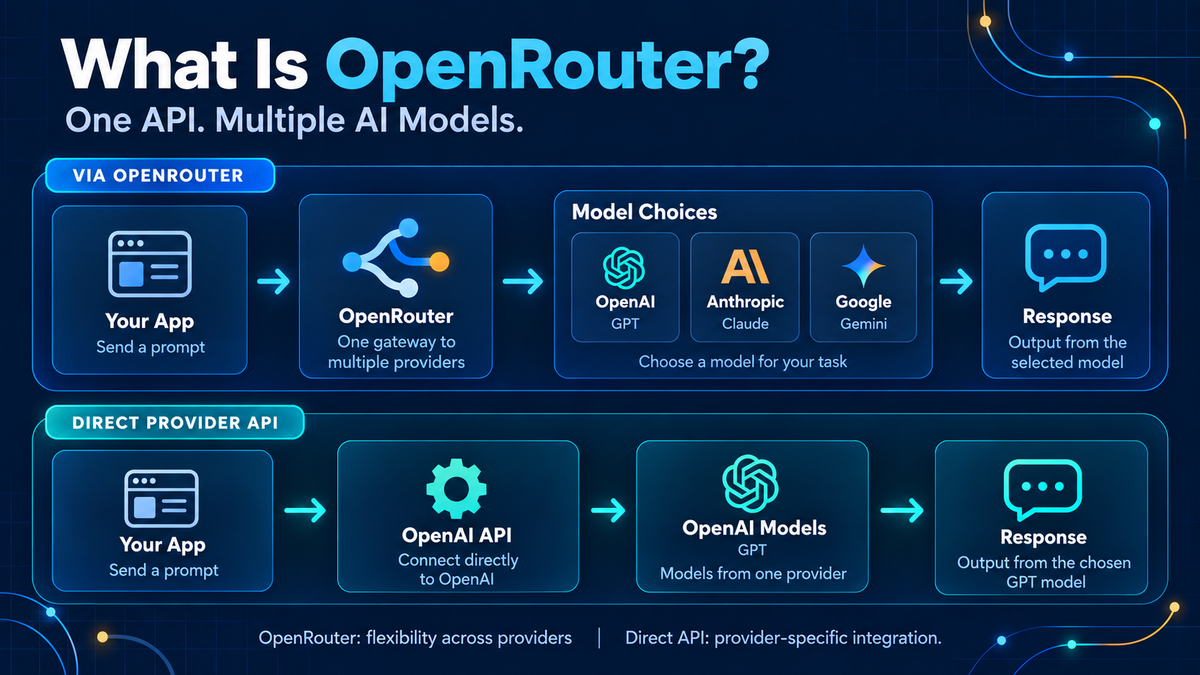
Adding one AI model to an application is usually straightforward. The complexity starts when you want to compare another model, use a cheaper option for routine work, or keep a feature running when a provider is unavailable.
Each additional integration brings credentials, billing, request formats, and operational decisions. OpenRouter gives you a common entry point into that growing model ecosystem.
OpenRouter is a hosted AI gateway that lets applications access models from multiple providers through a unified API. Its catalog includes models from major AI labs and open-weight model ecosystems. You can select a model, configure routing preferences, and manage usage through one platform. [1]
For builders, the useful question is where that gateway simplifies your architecture—and what responsibility still belongs to your application.
Table of contents
- How OpenRouter works
- Model selection vs. provider routing
- Practical use cases
- Current features worth understanding
- Pricing and free access
- Production tradeoffs
- OpenRouter or a direct provider API?
- A practical way to get started
- Interactive OpenRouter workflow — FlowDocu
- Frequently asked questions
How OpenRouter works
Your backend sends a request to OpenRouter. The gateway forwards it to an eligible provider serving the requested model, then returns the response through a common API interface. OpenRouter supports an OpenAI-compatible interface, which can simplify integration with existing SDKs and tools. Compatibility does not make every model feature identical. [1]
| Layer | Responsibility | Example |
|---|---|---|
| Your application | Assemble context and decide what the user needs | Prepare a news article for summarization |
| OpenRouter | Apply the configured model and provider routing | Forward the request to an eligible endpoint |
| Model provider | Run inference and return the model output | Generate a summary |
| Your application | Validate, store, and present the result | Check source links before publishing |
The gateway handles model access. Your application still determines whether the result is useful, correct, and appropriate to show a user.
Model selection vs. provider routing
These are two different decisions.
Model selection asks which model should perform the task. A short categorization job and a complex architecture review may need different capabilities.
Provider routing asks which eligible endpoint should serve that model. Some models are available through multiple inference providers. OpenRouter exposes preferences such as price, latency, throughput, and provider restrictions. [2]
There is also a difference between switching providers for the same model and switching to another model. OpenRouter supports an ordered list of fallback models when the primary choice encounters an error. That second choice can change the behavior your users see. [3]
A fallback that returns a response has restored availability. Your evaluation must establish whether it has preserved quality.
Practical use cases for developers and data teams
The following are illustrative application designs, rather than claims that OpenRouter performs each workflow for you.
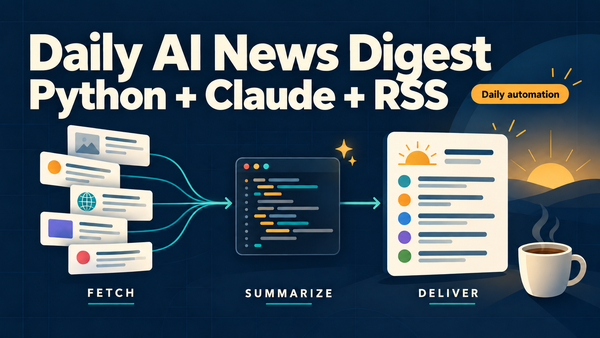
1. An AI news digest with different models for different steps
Imagine a daily pipeline that collects RSS articles and produces a weekly AI bulletin.
You could evaluate a lower-cost model for topic classification and short summaries, then a more capable model for connecting related developments into an editorial draft. Each step has a different success criterion: consistent tags, faithful summaries, or useful synthesis.
A shared gateway makes those comparisons easier to organize. The pipeline still needs collection, deduplication, scheduling, source attribution, and editorial review. Model access alone will not make the bulletin current or accurate.
2. Explaining data quality incidents
A deterministic check discovers that a daily table load has an unusual row count. An AI feature could turn the observed metrics, recent deployment notes, and pipeline logs into a readable incident brief.
For example: “The load completed, but the row count is substantially below the recent baseline. The upstream extract also processed fewer records. Investigate the source extract before rerunning downstream transformations.”
Compare models on whether they stay within the evidence, distinguish hypotheses from findings, and suggest useful next steps. Keep the actual quality rules and alert thresholds in your monitoring system.
3. Evaluating a documentation assistant
An assistant answering questions about architecture diagrams needs more than fluent prose. It must preserve ownership details, dependencies, and evidence from the supplied documentation.
Build a small set of representative questions: Who owns this service? What breaks if this dependency is unavailable? Which document supports that answer?
Use the same context across candidate models and measure unsupported claims, missing details, response time, and cost. Choose from those results instead of assuming a leaderboard winner will understand your system best.
4. Giving SaaS features different cost profiles
A product may offer quick text cleanup, document extraction, and detailed analysis. Applying the same expensive model to all three can make a low-value interaction surprisingly costly.
Start with an explicit model policy per feature. Measure the cost of a successful user outcome, including retries and manual correction. A cheaper response that repeatedly needs repair may be the more expensive product decision.
Current features worth understanding
OpenRouter’s current documentation goes beyond the basic “one key, many models” explanation. These capabilities are worth checking when designing an application; availability and controls can depend on the plan.
Automatic model selection
The Auto Router can select a model based on the request. Its current documented approach classifies the task and uses aggregate community spending patterns, alongside capabilities and configured restrictions, to guide selection. [4]
That is a useful starting signal. It does not establish that the selected model performs best on your private dataset. For a stable customer-facing feature, my preference is to evaluate an explicit model policy first and introduce automatic selection when its behavior can be measured.
Structured outputs
OpenRouter supports JSON Schema outputs on compatible endpoints. Support is endpoint-specific: different providers serving the same model may expose different capabilities. [5]
For extraction workflows, test both the primary and fallback paths. A valid JSON object can still contain an incorrect date or invented value. Schema validation checks structure; business validation checks meaning.
Bring your own provider keys
BYOK lets you use supported provider credentials through OpenRouter while retaining the gateway interface. Provider-account costs and rate limits then matter alongside OpenRouter’s own terms. Shared-capacity fallback can also spend OpenRouter credits, depending on configuration. [6]
Workspace budgets and guardrails
The current spend-control documentation describes pooled workspace budgets and separate per-member or per-key guardrail budgets. These limits work together to block requests when a relevant cap is reached. [7]
Design the product behavior for that event. A spending limit should produce a clear user message or defer a background job, rather than create an endless retry loop.
How much does OpenRouter cost?
For usage funded with OpenRouter credits, inference pricing depends on the selected model and provider. Input and output tokens often have different rates. OpenRouter says it passes through underlying inference pricing and charges a fee when credits are purchased. [8]
As checked on October 4, 2026, its pricing page lists:
| Plan | Published detail |
|---|---|
| Free | 25+ free models; 50 requests per day |
| Standard pay-as-you-go | 5.5% platform fee |
| Business pay-as-you-go | 8% platform fee |
| Enterprise | Custom terms; fee discounts available |
Current pricing and plan comparison [9]. Model availability, limits, and plan terms can change.
The current BYOK documentation describes a pay-as-you-go free allowance of $25,000 per month in list-price inference cost, with a 5% OpenRouter fee above the allowance; enterprise allowances are custom. This is an allowance against the gateway fee, not free inference from the model provider. [6]
When budgeting, include long prompts, output length, repeated context, retries, and failed workflows. Token price alone rarely describes the cost of an entire feature.
What changes when you move to production?
Your data passes through more than one service
OpenRouter states that storing prompt and response content is opt-in; it does retain request metadata. The downstream provider has its own data-handling policy. Review both layers, plus any logging enabled by your application. [10] [8]
For internal documentation or customer records, decide what data may leave your environment before choosing the model. Redact credentials and unnecessary personal information. Check the eligible provider policies for every fallback path.
The gateway becomes part of your dependency chain
Provider failover can help with an upstream failure. It cannot remove the gateway itself from your architecture. Define timeouts, bounded retries, and a useful failure state. A background digest can wait; an interactive feature may need an immediate explanation.
A common API does not guarantee common behavior
Evaluate instruction following, context handling, tool behavior, and output requirements for each selected endpoint. Treat a model change as a product behavior change, even when the integration requires only a small configuration edit.
You still need application-level visibility
Record the actual model used, request duration, cost, validation outcome, and the feature that generated the request. Where available, record the serving provider and fallback details too.
That is how you answer a practical question such as: “Did our incident-summary feature get cheaper without becoming less trustworthy?” Aggregate spending cannot answer it alone.
Should you use OpenRouter or a direct provider API?
My recommendation is to make the choice from the integration problem you actually have.
| Your situation | Reasonable starting point |
|---|---|
| You are comparing several model families | OpenRouter can simplify experimentation |
| Different features need different models | Evaluate a gateway with explicit feature policies |
| One provider already meets your needs | A direct integration may be simpler |
| You depend on a particular native provider feature | Verify gateway support; consider direct access |
| You have strict contractual or data requirements | Resolve provider and gateway terms before integration |
OpenRouter reduces the work of connecting to multiple models. The value is strongest when that flexibility solves a recurring problem for your team.
A practical way to get started
- Choose one workflow. Article summaries or incident briefs are easier to evaluate than a general-purpose assistant.
- Create a representative test set. Include incomplete inputs and cases where the correct response is “there is not enough evidence.”
- Compare a few models. Score quality, latency, and total cost under the same conditions.
- Configure the production policy. Specify approved models, eligible providers, spending limits, and a tested fallback.
- Deploy behind your backend. Keep service credentials server-side and monitor actual outcomes.
The engineering question is whether a model and routing policy meet the feature’s quality, response-time, and cost requirements. A gateway makes the candidates easier to access; your evaluation makes the choice defensible.
Interactive OpenRouter workflow — FlowDocu
Explore how OpenRouter works in the interactive FlowDocu diagram below, alongside a direct provider integration. Hover over cards for details, open the built-in documentation and links, or press play to follow a request through the workflow—including an automatic fallback when a provider fails.👇
Frequently asked questions
Is OpenRouter an AI model?
No. It is a gateway for accessing models served by other providers. The selected model generates the output. [1]
Can I use OpenRouter without writing code?
Yes. It offers a chat interface, which is useful for trying models before integrating an application. Automated product features generally require an API integration or a compatible tool. [8]
Does OpenRouter automatically choose the best model?
Automatic selection is available through its Auto Router. Its recommendations use routing signals and configured constraints. Validate the results against your task-specific definition of quality. [4]
Is OpenRouter free?
A limited free plan is available. Paid usage has model-specific costs and applicable platform fees. Check current limits before designing an application around free access. [9]
Will switching models require rewriting my application?
A shared interface can reduce integration changes. You still need to check capabilities, adapt model-specific instructions where needed, and evaluate the resulting behavior. [1]
Does a gateway eliminate vendor lock-in?
It can reduce dependence on a single provider integration. Your prompts, evaluation process, and workflow may still depend on particular model behavior, while gateway-specific controls create their own migration work.
Sources and further reading
Technical capabilities and commercial details above were checked against official OpenRouter documentation on October 4, 2026. The use cases and engineering recommendations are illustrative analysis.